
Ascent Control System: AV Room Management for Every Room
The new Ascent Control System brings rooms without a control processor into Ascent Room Manager, with the same AV room management you already get in your Crestron rooms: automation, live monitoring and usage metrics. It runs on the same PC or server as the Ascent Supervisor, or on its own server, and controls IP-connected displays, PDUs, cameras and occupancy sensors.
Request a Demo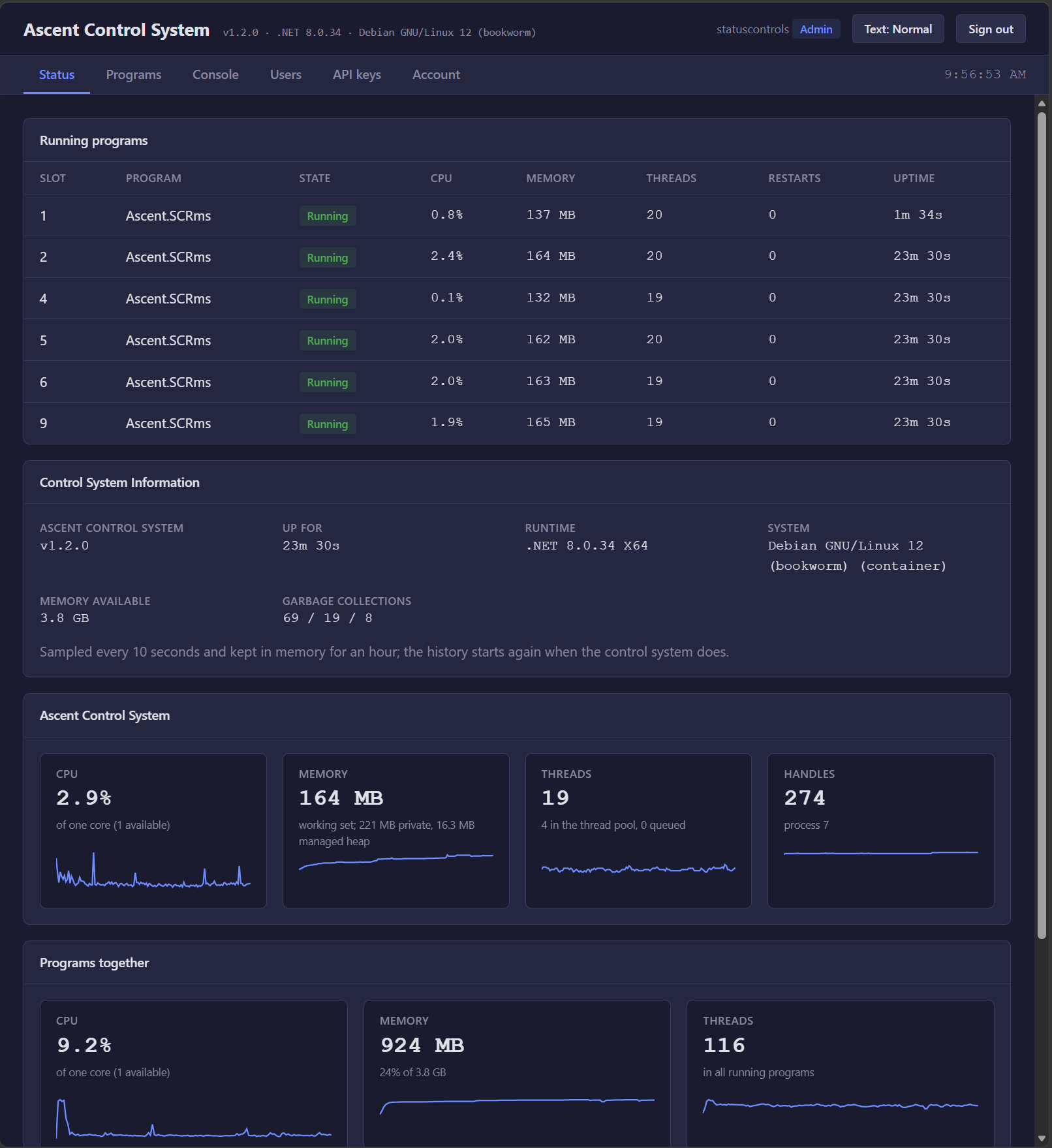
AV room management without a control processor
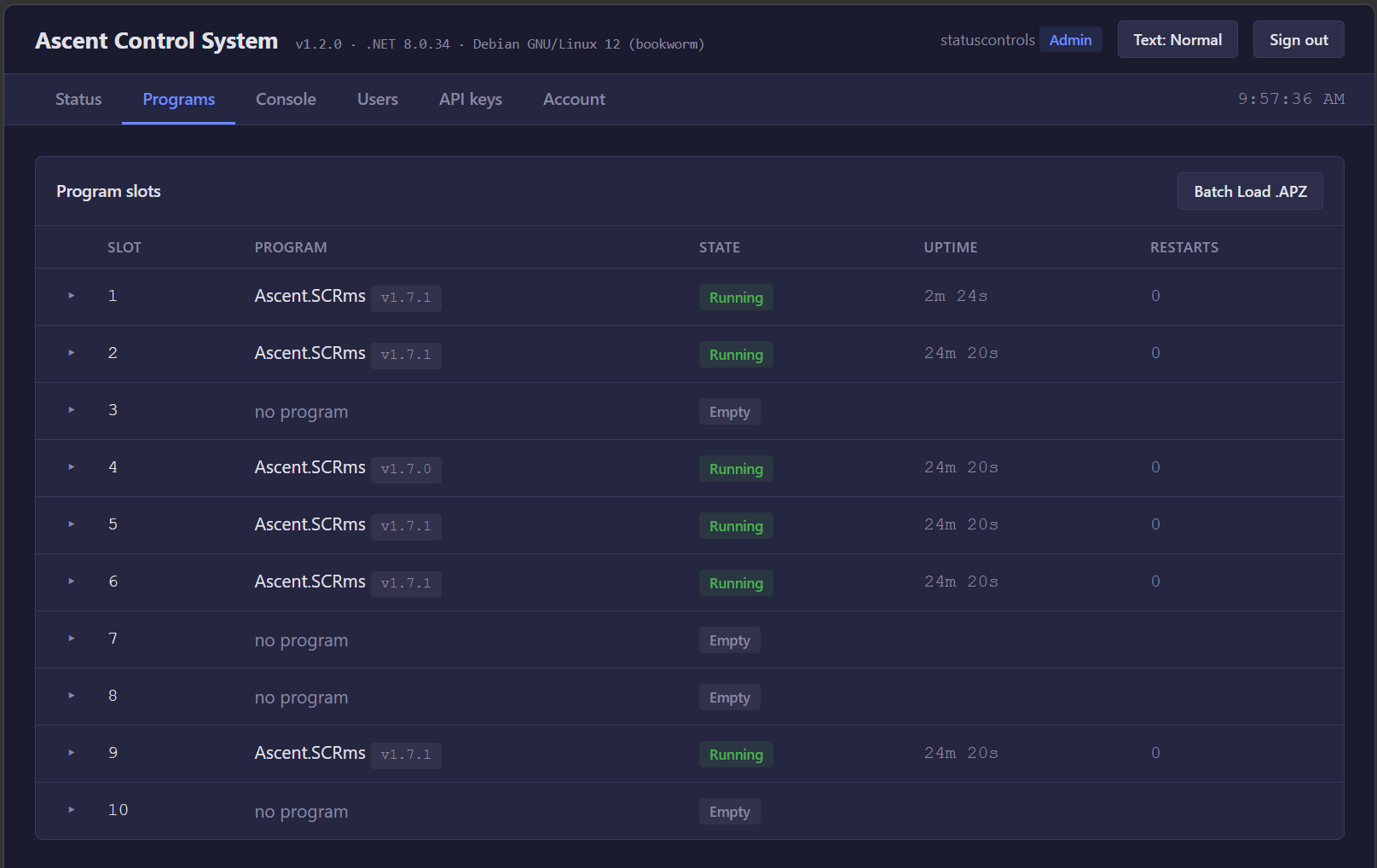
Huddle rooms and simple meeting spaces often have a display and little else, so they never got a control processor and never showed up in your AV room management. The Ascent Control System changes that. It runs Ascent room programs on a PC, server or VM (Docker, Windows or Linux) in ten program slots and keeps each one running, restarting a program automatically if it ever stops. The Status page shows every program's CPU, memory, threads, restarts and uptime, sampled every ten seconds.
The same automation and metrics in every room
Rooms on an Ascent Control System run the Ascent Standard Program and are set up in Ascent Room Manager exactly like a Crestron room. The Ascent Supervisor deploys them, watches them and relays their status, so they get the same time-of-day and occupancy events, room self-healing, device health alerts and usage metrics. Devices are controlled over IP: displays, PDUs, cameras and occupancy sensors. Rooms that need switching, DSPs or IR and serial control stay on Crestron processors, and both kinds of room sit side by side in Room Manager.
Built for IT teams
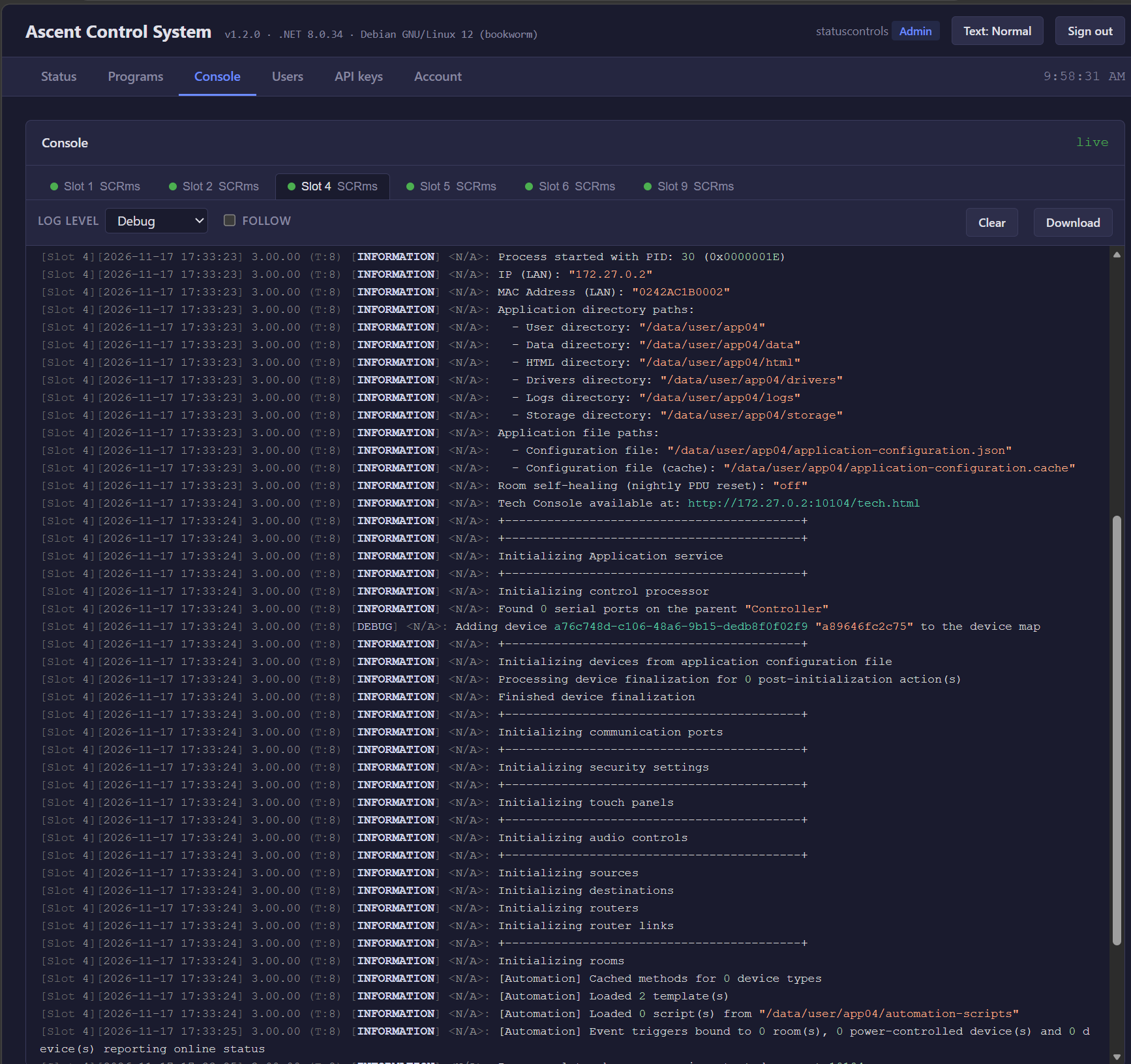
The Ascent Control System makes no connection to the internet on its own. Only the Ascent Supervisor connects out to Room Manager, so no inbound firewall ports are opened. The web page and API are HTTPS by default, there is no default account, and access uses local accounts with Viewer, Operator, Admin and Owner roles, or API keys for tools. A live console for each slot, with adjustable log level and download, gives technicians what they need to troubleshoot remotely. Need more rooms? Add another Ascent Control System.
See Ascent in Action
Schedule a personalized demo to see how Ascent can streamline your Crestron operations across all your locations.
Contact Us