
The Ascent Tech Console: Fewer Truck Rolls, Faster Commissioning
Every control system program we write includes the Ascent Tech Console and self-healing rooms. Problems fix themselves or get diagnosed remotely, which cuts service tickets, truck rolls and support costs for you and your clients. Standard programs and built-in commissioning tools also make every deployment faster.
Request a Demo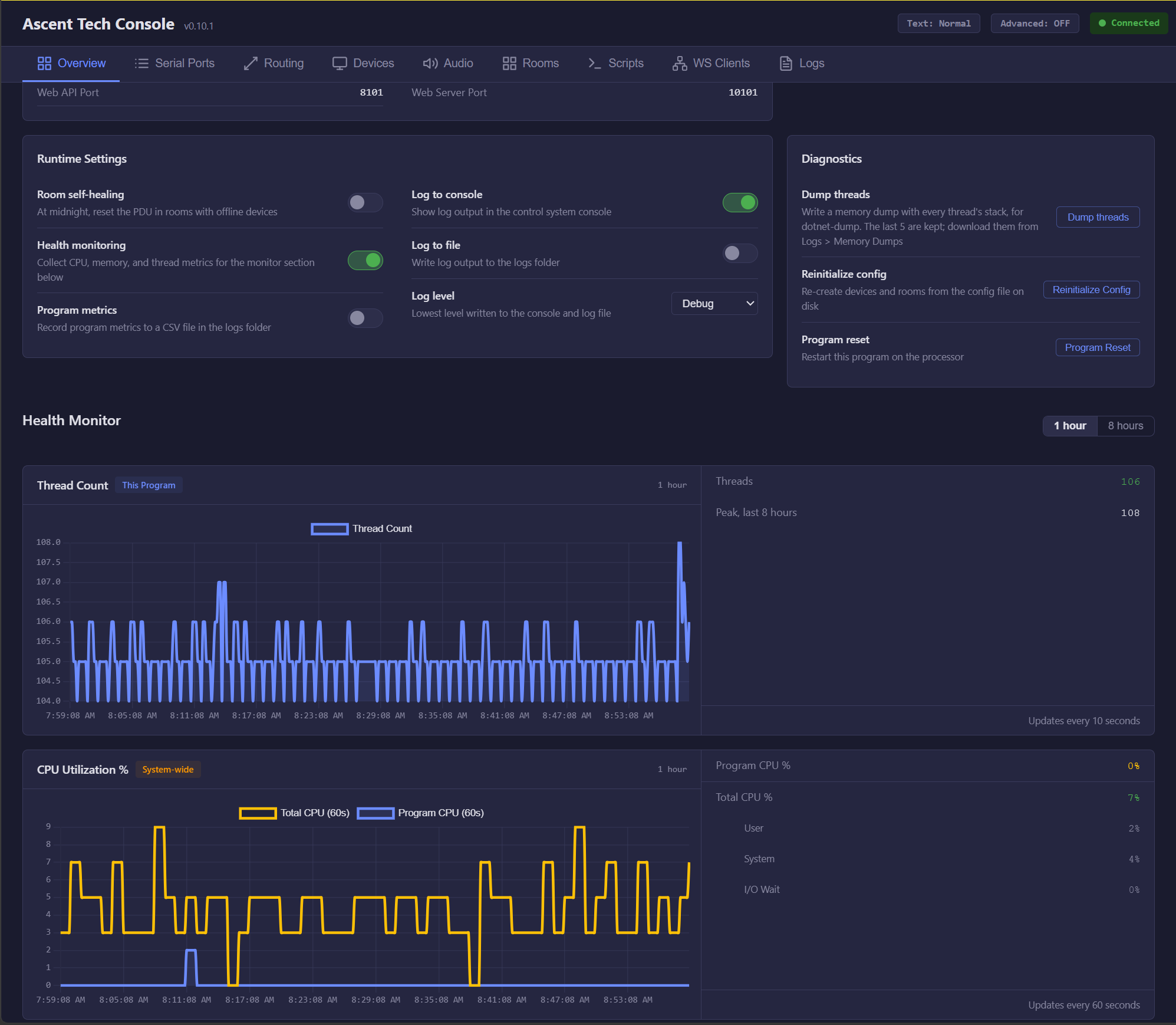
Processor health at a glance
The Overview tab charts thread count and CPU use over the last hour or eight hours, showing this program apart from the whole processor, with user, system and I/O wait broken out. Technicians can turn logging on, change the log level, dump threads, reload the config or restart the program from the same page. With room self-healing turned on, the system power-cycles the PDU at midnight in any room with an offline device, so a hung display is back by morning instead of becoming a service call.
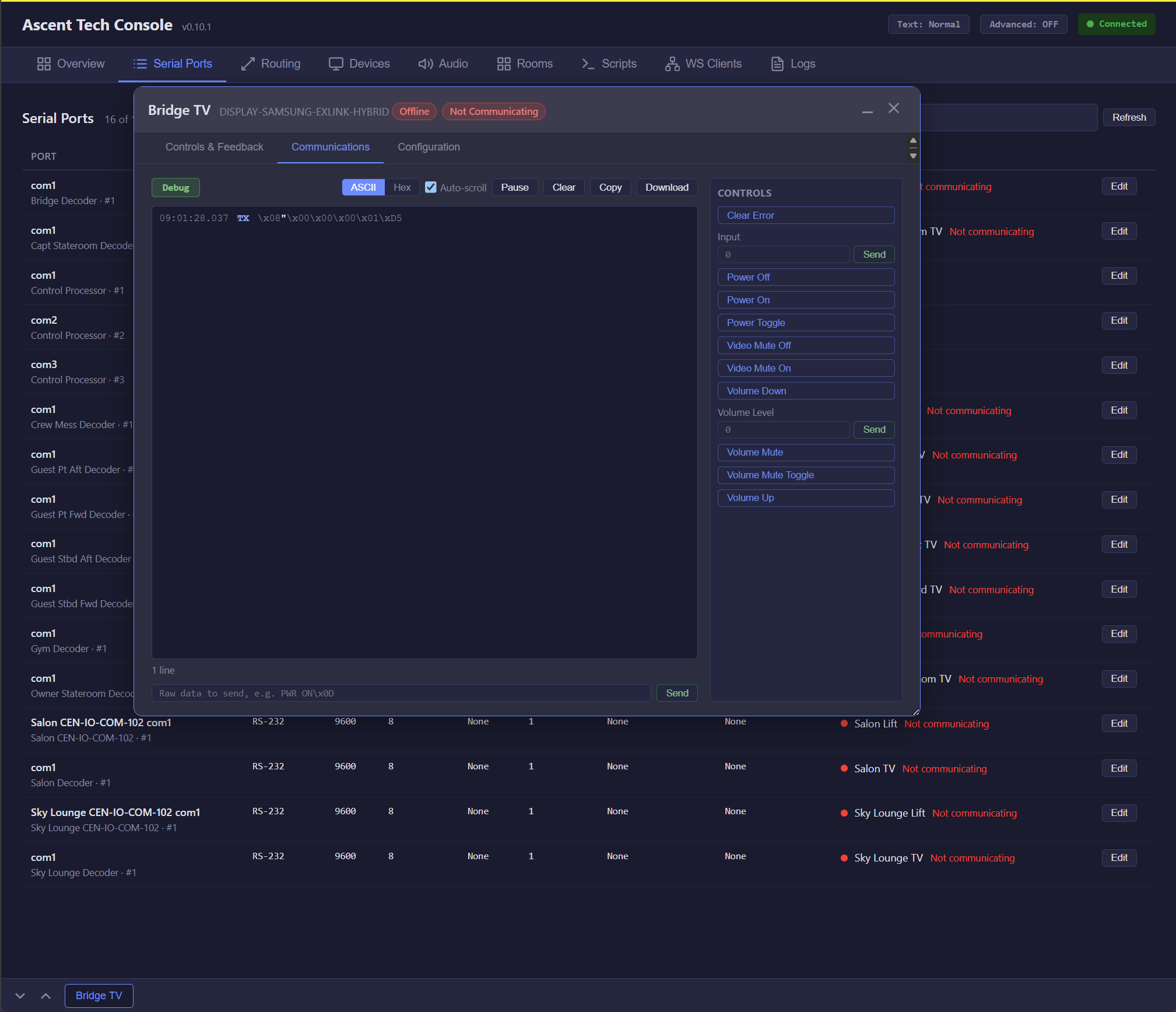
Control and watch every device
Every device the program controls, whether over serial (RS-232) or Ethernet, can be opened from the console. The Serial Ports tab lists each port with its settings and the device on it, and flags any device that is not communicating. Open a device to send its commands (power, input, volume, video mute) and watch the traffic live in ASCII or hex, send raw strings, and copy or download the log. If commands go out and nothing comes back, the technician knows straight away to check the cable, the network or the display, not the program.
See what every touch panel is saying
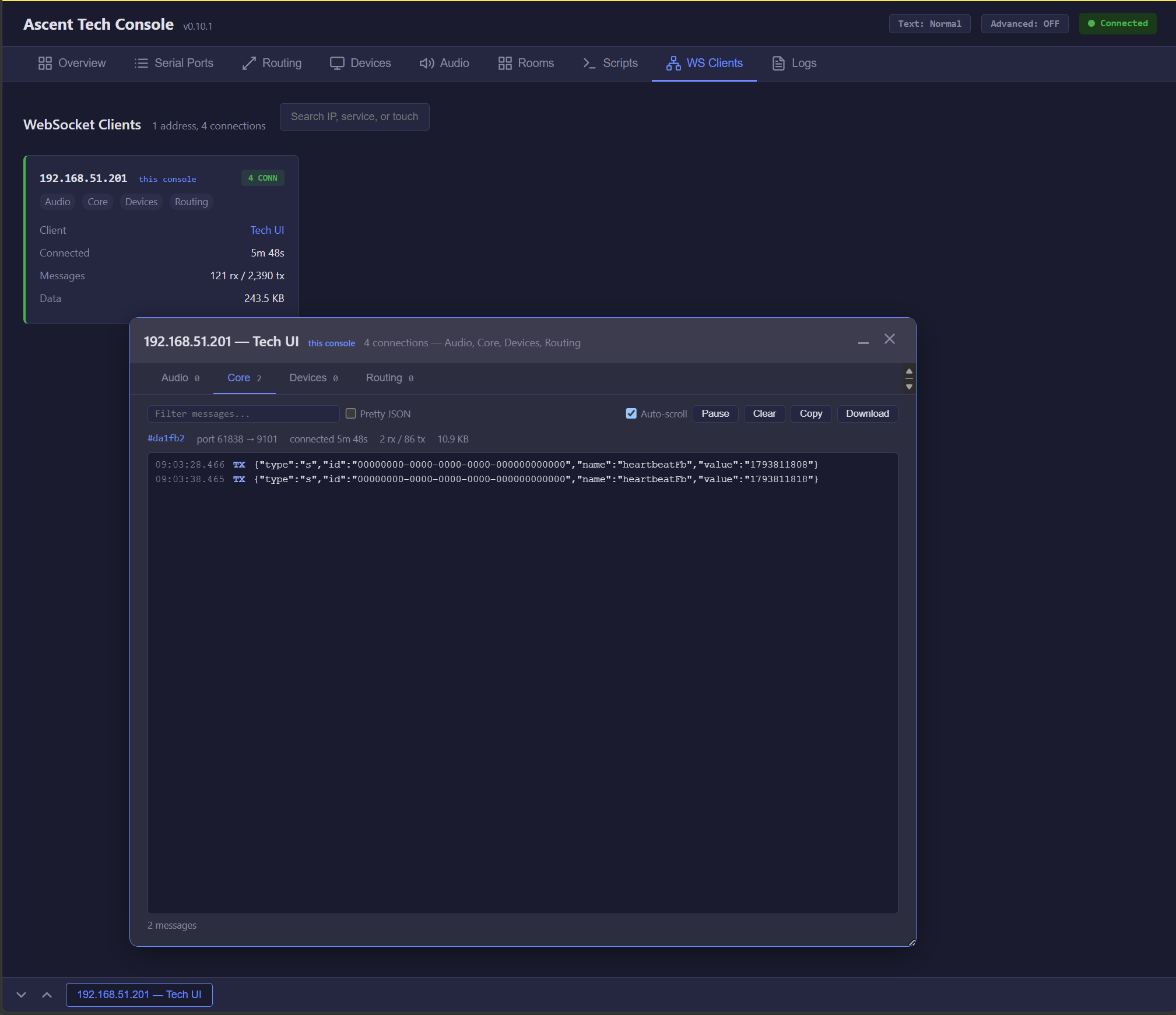
The WS Clients tab shows every connected touch panel and interface by address, with its connections to the Audio, Core, Devices and Routing services, how long it has been connected and how much data it has sent. Open a client to watch its messages live, filter them, view them as formatted JSON and download them for support. Because every program is built the same way, technicians use the same console in every room, which makes commissioning faster and support simpler.
See Ascent in Action
Schedule a personalized demo to see how Ascent can streamline your Crestron operations across all your locations.
Contact Us